logo
LLMoxy
Home
Console
Model Marketplace
Quickstart
Documentation
    • APAC Speedup Tutorial
    • Claude Code Setup Guide
    • Claude Code Fable 5 Setup Guide
    • CC Switch Tutorial
    • Gemini CLI Setup Guide
    • CodeX CLI Setup Guide
    • Codex App Setup Guide
    • Codex CC Setup Guide
    • VS Code Cline Tutorial
    • VS Code Agents Window Tutorial
    • OpenClaw Setup Guide
    • OpenCode Setup Guide
    • Qoder Setup Guide
    • Continue Setup Guide
    • GitHub Copilot Setup Guide
    • Copaw Setup Guide
    • Dify Setup Guide
    • n8n Setup Guide
    • Easydict Setup Guide
    • Python SDK
    • Cursor Setup Guide
    • Cursor Cline Plugin Tutorial
    • Trae Setup Guide
    • Trae Cline Plugin Tutorial
    • WorkBuddy Setup Guide
    • Hermes Agent Setup Guide
    • AstrBot Setup Guide
  1. Docs
  2. Developer Tool Tutorials
  3. VS Code Cline Tutorial

VS Code Cline Tutorial

Configuration

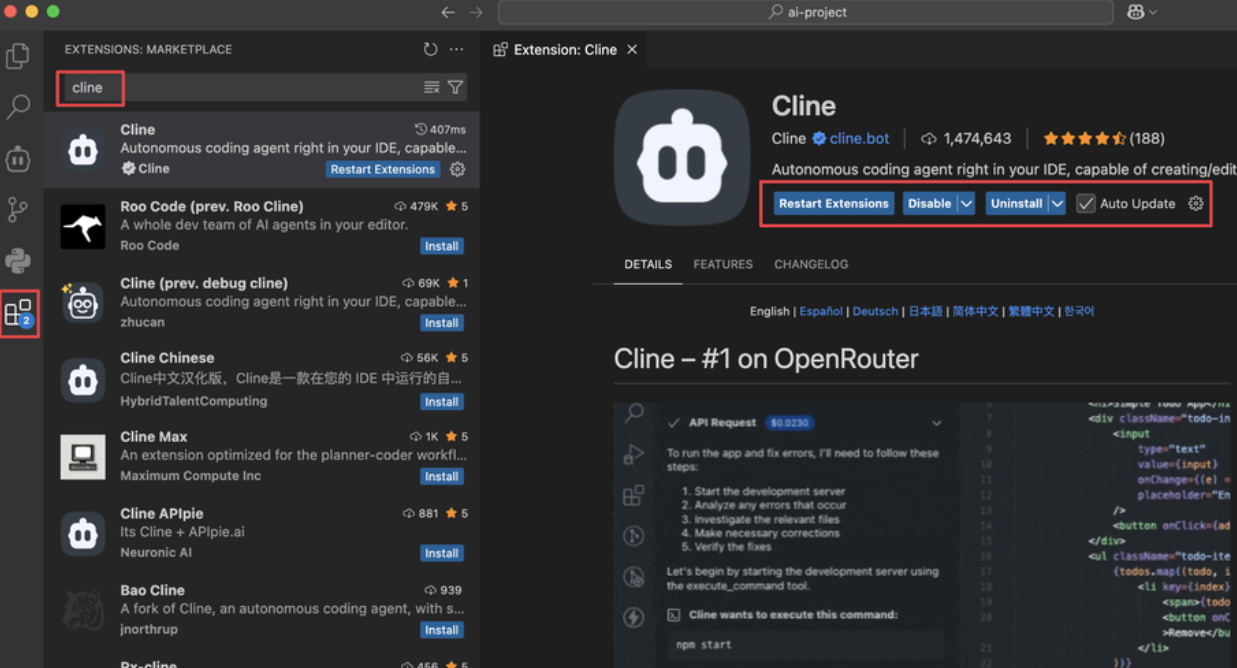
  1. Install Cline from the extension marketplace.
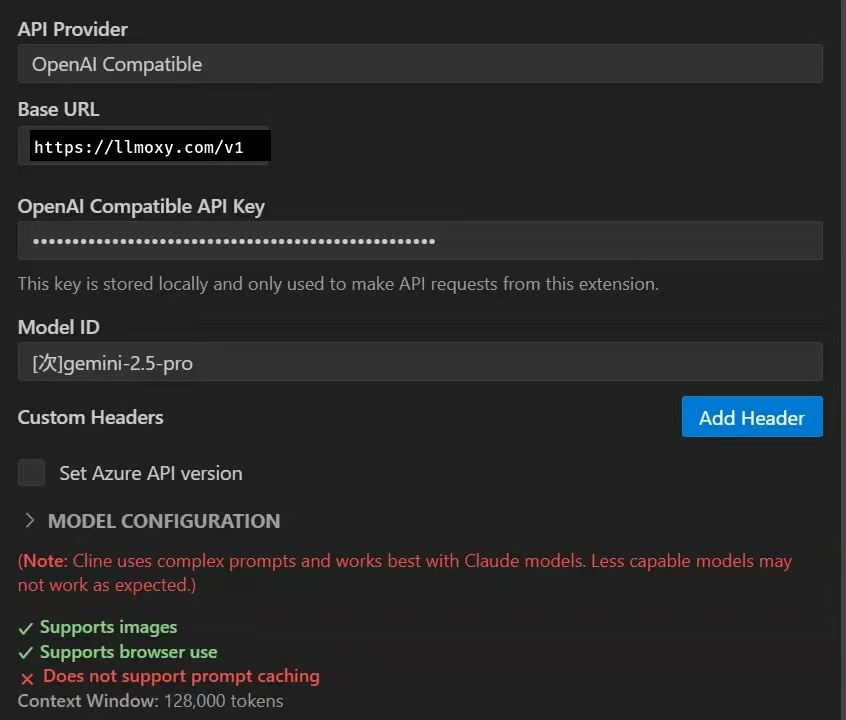
  2. Set API Provider to OpenAI Compatible.
  3. Fill in the fields below:
FieldValue
Base URLhttps://llmoxy.com/v1
API KeyLLMoxy token (auto group)
Model IDgrok-4.7

Cline setup

Select a model

Codex CC Setup Guide
VS Code Agents Window Tutorial
LLMoxy

The out-of-the-box access layer for frontier LLMs. Alipay, WeChat & crypto checkout, APAC-direct routing.

Product
  • Model
  • Pricing
  • Console
  • Top Up
  • Playground
  • About
Developers
  • Quick Start
  • Sign up
  • API overview
  • Authentication
  • Routing, billing & errors
  • Python SDK
Tutorials
  • Claude Code
  • Cursor
  • Trae
  • WorkBuddy
  • Gemini CLI
  • Cherry Studio
  • Chatbox
  • APAC speedup
Help
  • FAQ
  • Troubleshooting
© 2026 LLMoxy LLC.
Privacy Policy|Terms|Usage policy