CC Switch Tutorial
Download
- Outside Asia-Pacific: GitHub farion1231/cc-switch
- Asia-Pacific: Accelerated download
The accelerated link comes from a third-party GitHub proxy. After downloading, check the project name and version number.
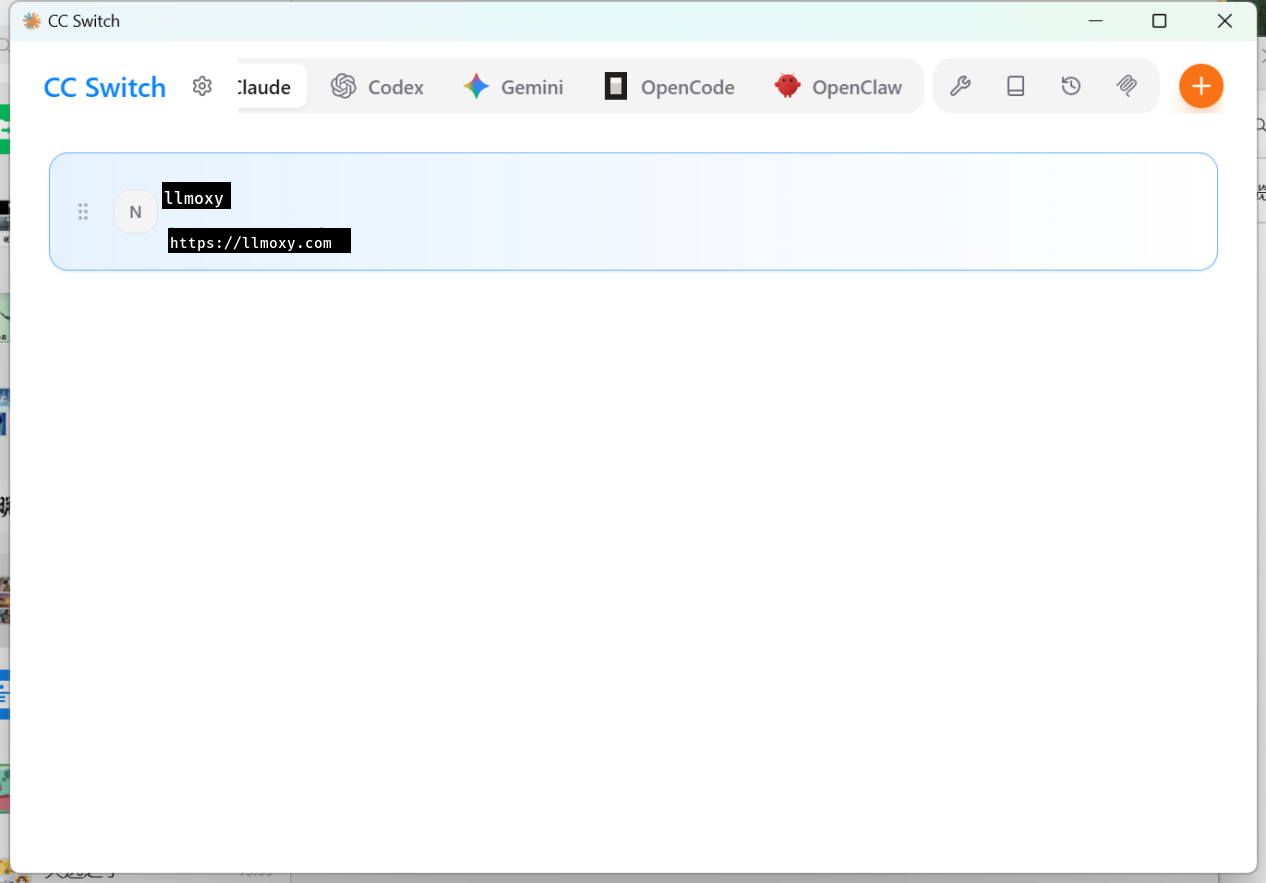
CC Switch edits each CLI's configuration locally, so you don't have to edit JSON by hand. Always use a token from the auto group.
1. Claude Code
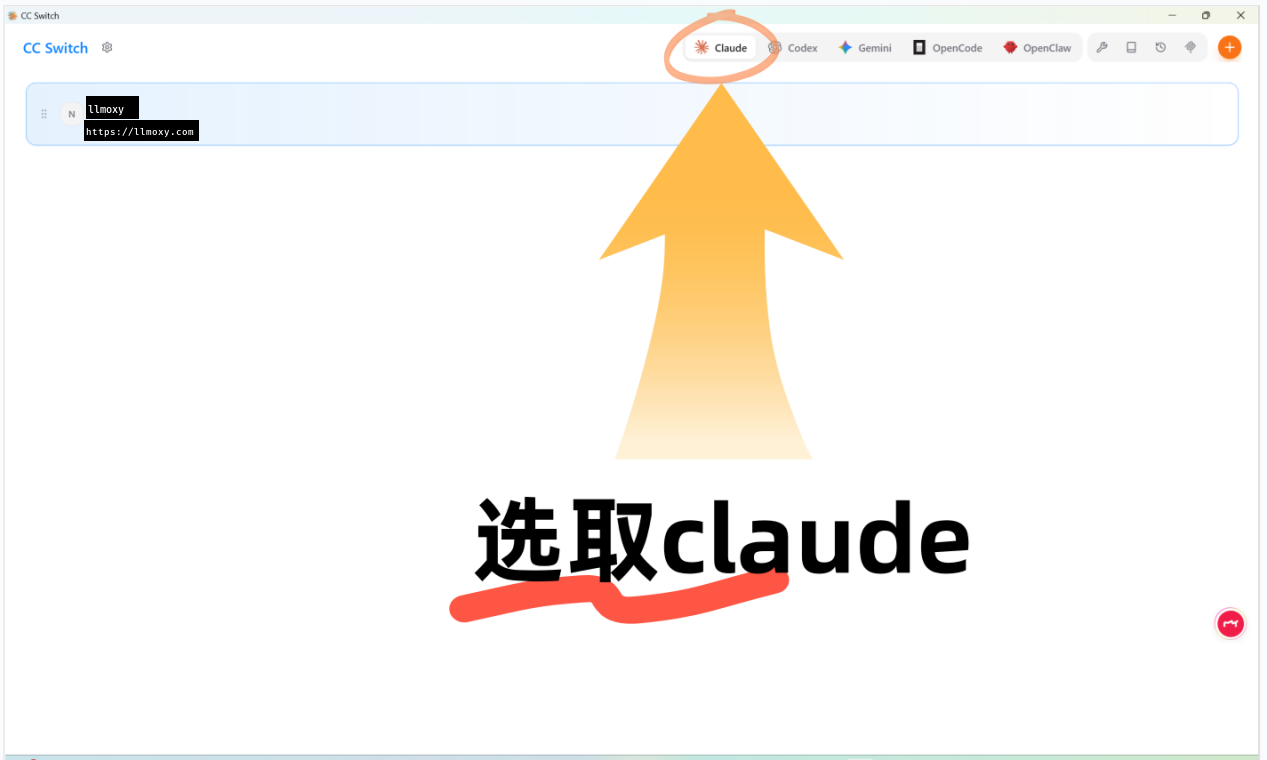
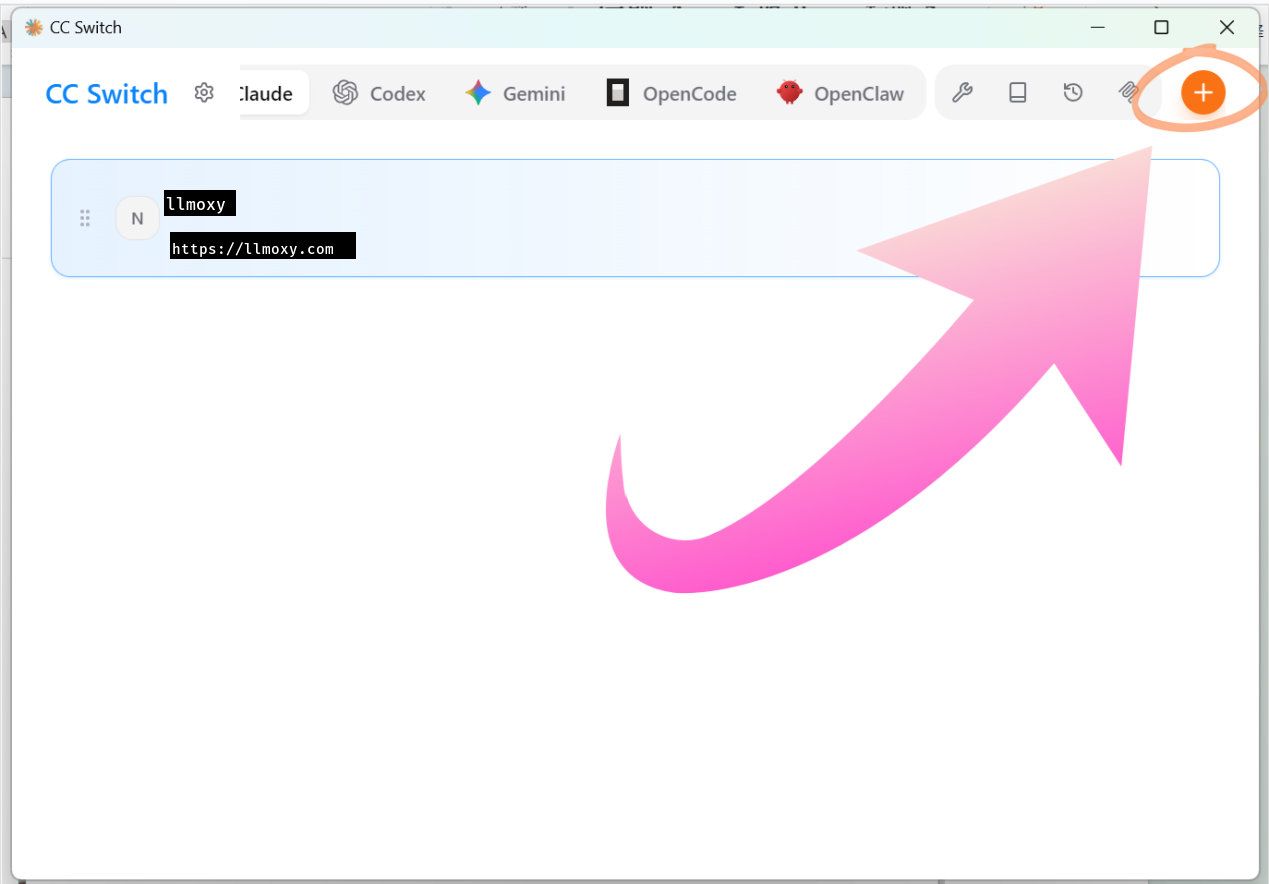
After launching, switch to Claude and click the plus button in the top right:
- Provider name: anything, for example LLMoxy
- API Key: your site token
- Request URL:
https://llmoxy.com - API format: anthropic messages (native)
- Main model:
claude-opus-5-5
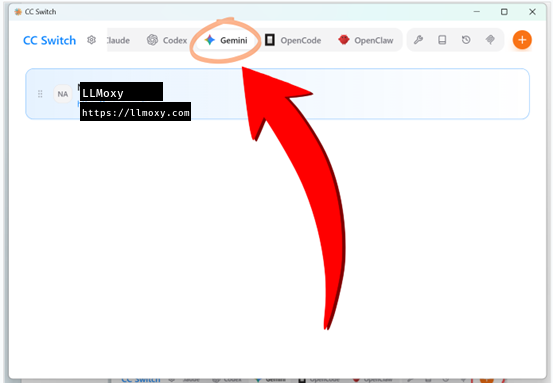
2. Gemini CLI
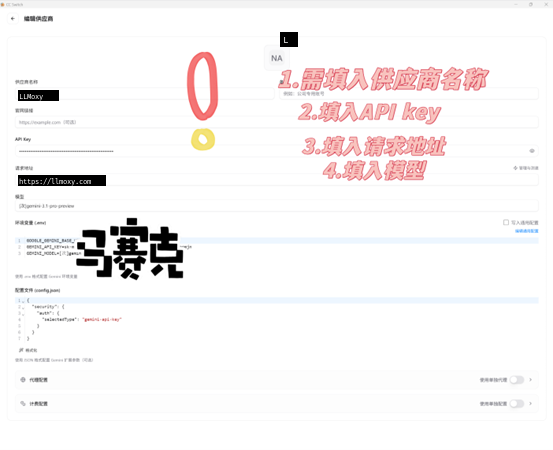
Switch to Gemini and click the plus button:
- API Key: your site token
- Request URL:
https://llmoxy.com - Main model: as shown in the console, for example
grok-4.7
3. OpenCode
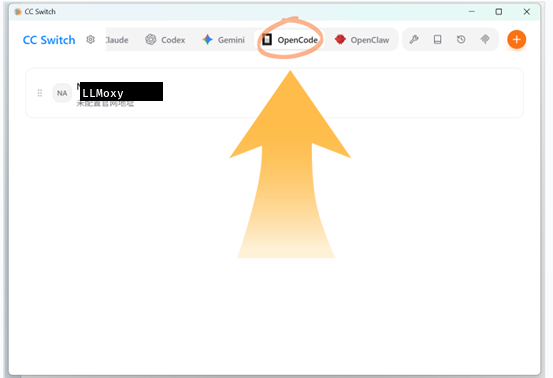
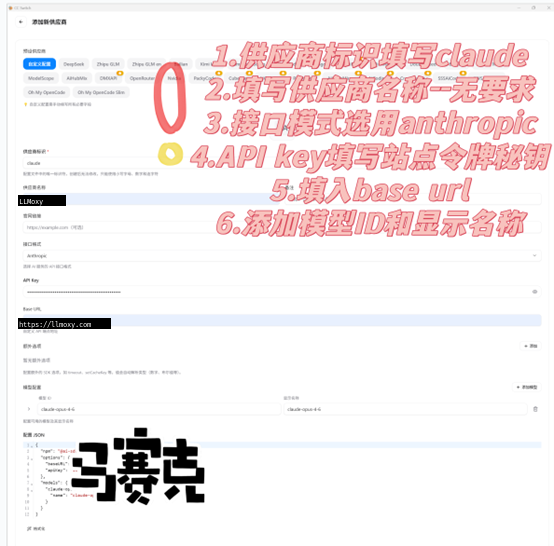
Switch to OpenCode and click the plus button:
- Provider ID:
claudeor a custom value - API Key: your site token
- Request URL:
https://llmoxy.com - Main model / display name:
claude-opus-5-5
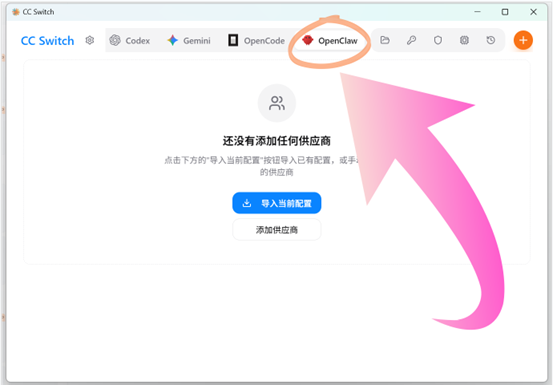
4. OpenClaw
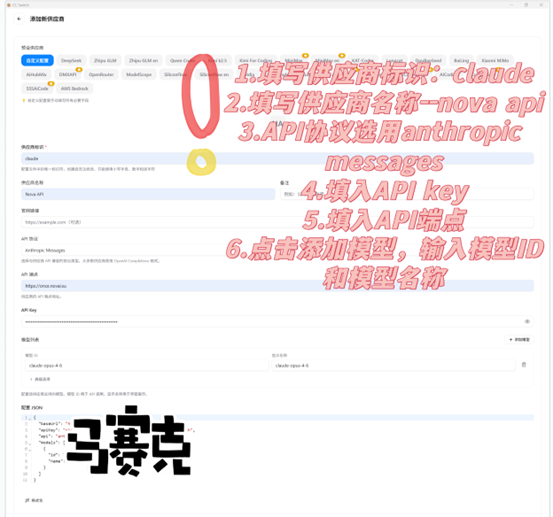
Switch to OpenClaw and click the plus button:
- Provider ID:
claude - API protocol: anthropic messages
- API Key: your site token
- API endpoint:
https://llmoxy.com - Model ID / name:
claude-opus-5-5
In the list, click the profile you want and then click Enable. CC Switch writes the settings to the corresponding CLI's configuration file.