
OpenClaw Setup Guide
Website: https://openclaw.ai
Source: GitHub openclaw/openclaw · China mirror: Gitee OpenClaw-CN
OpenClaw (renamed from Clawdbot) configures models in a local openclaw.json. If a plugin or SDK fails to install, change the package name to OpenClaw and try again.
Before you start, get an LLMoxy token. The auto group is recommended.
Install
Configuration file location:
| System | Path |
|---|---|
| Windows | %USERPROFILE%\.openclaw\openclaw.json |
| macOS / Linux | ~/.openclaw/openclaw.json |
You can also download a full template, replace the key, and overwrite the file above:
Connect to LLMoxy
Merge the two sections below into your existing openclaw.json. The Anthropic-compatible URL does not include /v1.
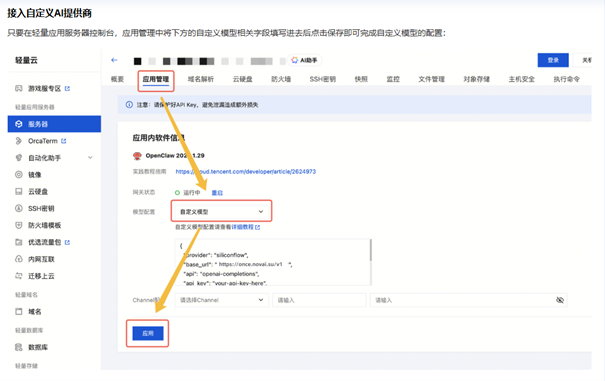
If you use the "Custom server / Custom model" option in the UI, enter the same values:
| Field | Value |
|---|---|
baseUrl / API endpoint | https://llmoxy.com |
api | anthropic-messages |
apiKey | LLMoxy token |
| Model ID | claude-opus-5-5 |
Launch
Open http://localhost:18789 in your browser.
FAQ
Install fails or the package can't be found
The repository was renamed. Use openclaw for installation and plugins, not clawdbot.
Using OpenAI-compatible instead of Anthropic
Change api to openai-completions and baseUrl to https://llmoxy.com/v1.