Claude Code Setup Guide
Claude Code is Anthropic's terminal agent: it reads your repository, edits files, and runs commands. It connects to the official API by default; just point the gateway at LLMoxy.
Before you start, get an LLMoxy token. The auto group is recommended.
Install
Use the official script first (npm is no longer recommended):
Alternatively:
Verify:
Connect to LLMoxy
Claude Code uses the Anthropic-compatible endpoint, and the URL does not include /v1.
| Variable | Value |
|---|---|
ANTHROPIC_BASE_URL | https://llmoxy.com |
ANTHROPIC_AUTH_TOKEN | Your LLMoxy API Key |
Option 1: CC Switch (recommended)
Switch providers in a GUI without editing environment variables by hand. For the download and step-by-step screenshots, see the CC Switch Tutorial.
- Provider name: LLMoxy
- API Key: your site token
- Request URL:
https://llmoxy.com - Main model:
claude-opus-5-5
Option 2: Environment variables
macOS / Linux (~/.zshrc for Zsh, ~/.bashrc for Bash):
Windows PowerShell (open a new window after setting them):
Verify: echo "$ANTHROPIC_BASE_URL" should print https://llmoxy.com.
Launch
Go to your project directory:
Type /model and choose the model name you just configured (for example claude-opus-5-5). Type / to see all commands.
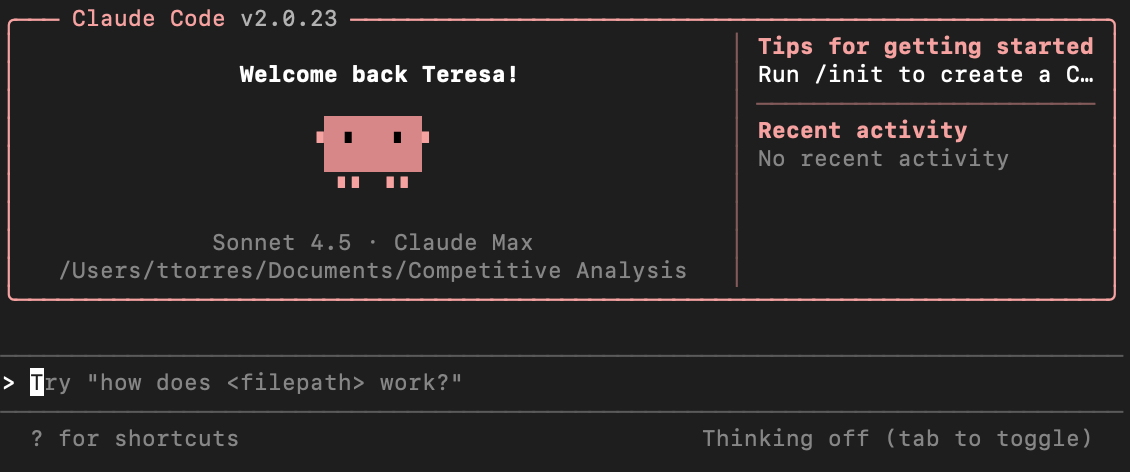
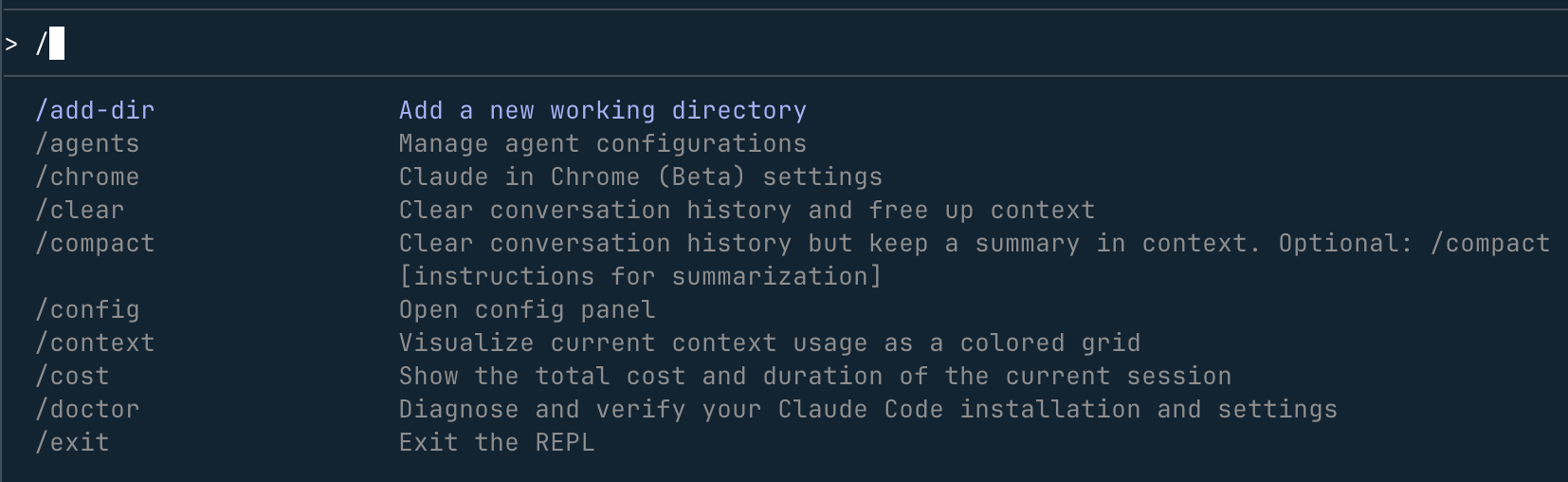
Optional: run claude doctor for an environment check.
FAQ
claude: command not found
Make sure claude --version prints something, then reopen your terminal.
Still asks me to sign in to a Claude account
Make sure ANTHROPIC_BASE_URL and ANTHROPIC_AUTH_TOKEN are in effect. Once a custom gateway is configured, it uses the API Key and you don't need to sign in to claude.ai.
Permission error on global npm install
Don't use sudo npm install -g. Use the official script, Homebrew, or nvm instead.
Can't connect
Test the network with curl -I https://llmoxy.com; set HTTPS_PROXY if you need a proxy.